
Where's my order? (confirmation email, order link, tracking)
For: Parents & families
Right after you pay
You'll see a page that says Thank you, your order is in. It shows:
- Your order number (tap Copy to save it)
- View your order details, a link to your order page
- Download invoice (PDF)
- What's next: we print it, then ship it or get it ready for pickup
Your confirmation email
We email you right away. The subject looks like "[Team store] order [number] — we got it!" It lists your items, sizes, names, total, and where it's going. It includes a View your order button (your order page) and a Download invoice (PDF) link.
Can't find it? Check your spam or promotions folder. Search for your team's name or "SportPrinters."
Your order page
The View your order details link opens a page just for your order. It shows your items, sizes, names and the current status, like Paid or In production. It hides your email, phone and address, so you can share it with family.
You can also make an account on the confirmation page (Create an account to track this order). Your orders then show under My Orders.
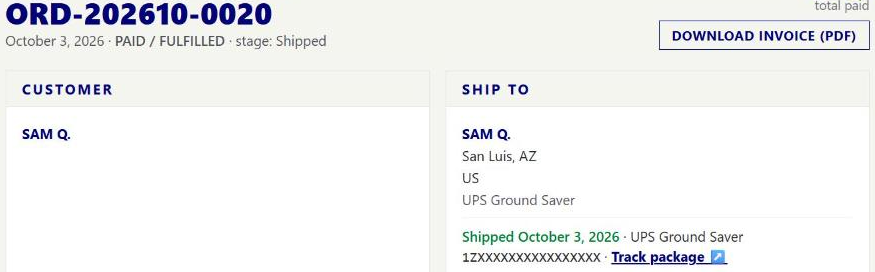
When it ships
When your order ships, we send an email titled "Your [team store] order [number] has shipped." It has the carrier, your tracking number, and a Track package button. Your order page shows the tracking too.
How long does it take?
Team-store orders are usually made together after the store closes, then standard shipping takes 3–7 business days in the continental U.S. A specific order's confirmation page may show its own estimate (for example "Ships in about 5 business days") based on your store and shipping method — that estimate covers shipping time after your order is made, not how soon the team-store window closes.
Picking up?
See Pickup or shipping.
Replying to an order email
Replying to your confirmation or shipping email reaches the store's own contact when the team has one set, otherwise a general SportPrinters inbox. Either way, include your order number — it's the fastest way for whoever answers to find you. Still stuck? Email [email protected] directly.