
Reports: sales, markup, fundraising and payouts
For: Owner, Store admin, Parents & families
Log in at sportprinters.com. You land on My stores. Click Manage on your store, then Reports for your store's money in one place. Only the Owner and Store admins see this page.
Pick a date range
Use From and To to pick a date range. Leave them blank for all time.
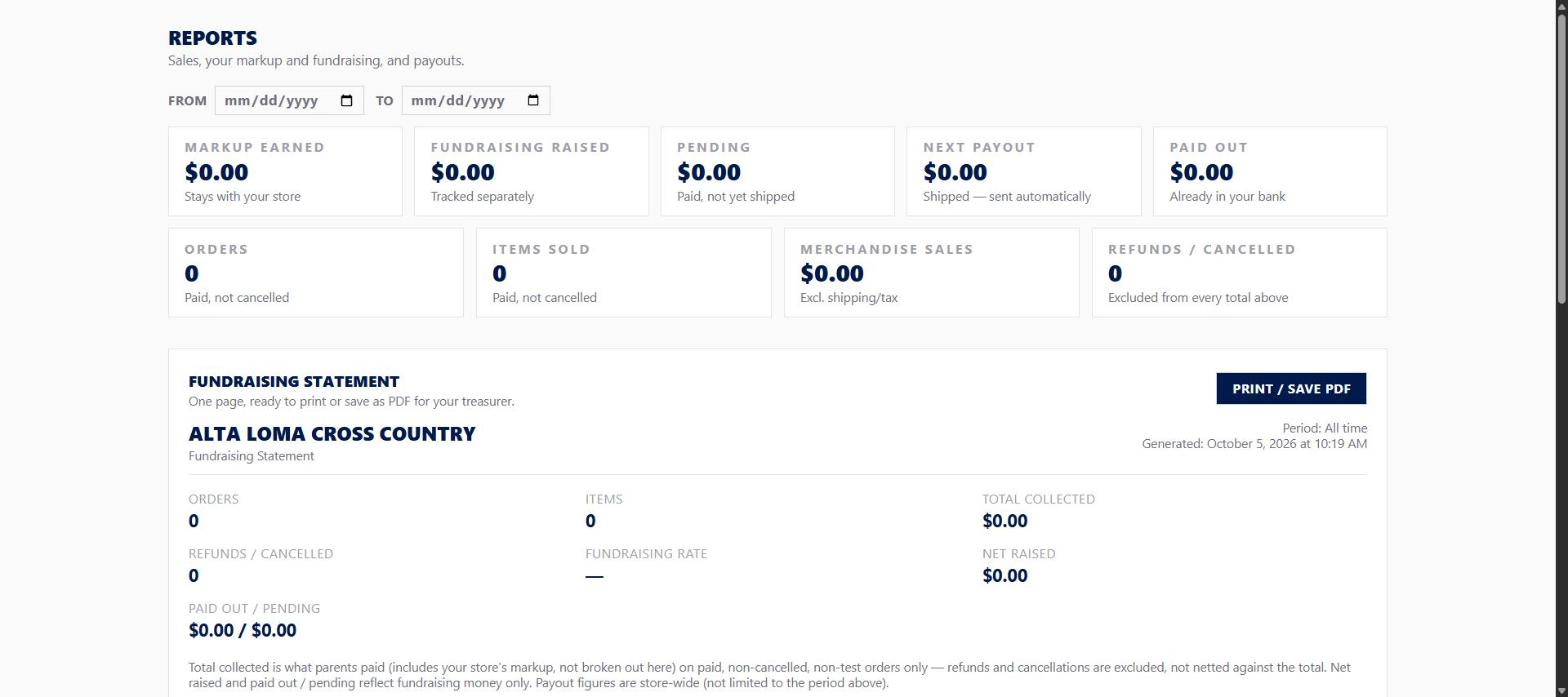
The summary
- Markup earned: stays with your store
- Fundraising raised: tracked separately
- Pending: paid, not yet shipped
- Next payout: shipped — sent automatically
- Paid out: already in your bank
- Orders and Items sold: paid, not cancelled
- Merchandise sales: excl. shipping/tax
- Refunds / cancelled: excluded from every total above
On the same page
- Fundraising Statement: a one-page summary for your treasurer, right there with a Print / Save PDF button (see The Fundraising Statement).
- Show fundraising total on your store: when it's on, shoppers see the exact dollar amount raised on your store's fundraiser widget. Your markup is never shown publicly, on or off.
- Player credit: turn on Ask buyers which player they're supporting. Parents then pick a player at checkout. Add a Roster (name and number, one at a time, or Paste a list instead) so they get a pick list — no roster means buyers type a name instead. Turn on the Public leaderboard if you want to; it shows first names or numbers only, never a full name. Only fundraising is credited to players, never markup.
- Fundraising by player, Sales by Item and Orders, each with its own Export CSV.
- Payouts: a list of payout activity, going out upon shipping or on your schedule.