
Open or close your store
For: Owner, Store admin, Parents & families
Where: At the top of sportprinters.com, click Log in. Enter your Email and Password and click Sign In. You land on My Stores. Click Manage on your store, then Settings at the top. In the left menu, under General, click Status & publishing.
(From the Products page you can also click Publish → in the Getting started checklist.)
Store Status shows whether shoppers can buy.
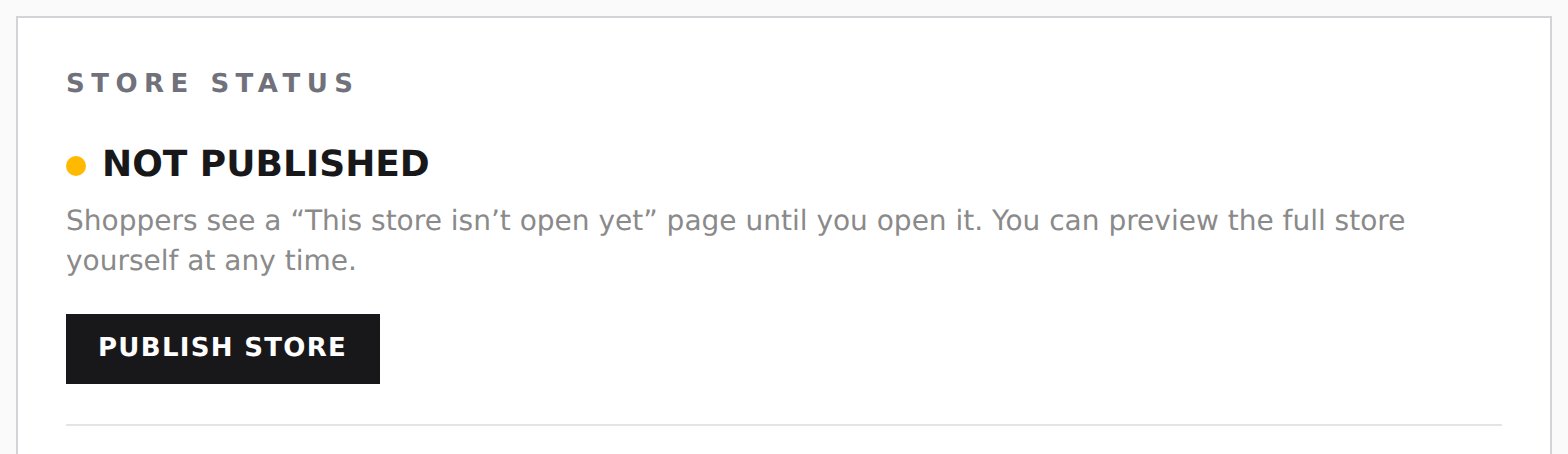
Open your store
You need at least one product first. With none, the page says "Add at least one product first — an empty store can’t open."
- Store Status says Not published: "Shoppers see a “This store isn't open yet” page until you open it. You can preview the full store yourself at any time."
- Click Publish Store.
- You're asked: "Open your store to shoppers? Anyone with the link can buy." Click Open store (or Cancel).
- Store Status now says Live, since today's date: "Shoppers can see this store and place orders."
Your store link, QR code and PDF catalog are on this same page (see Share your store).
You can also open your store from the Style Editor: click Open my store.
Close your store
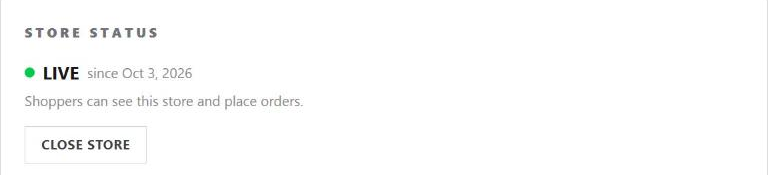
- Click Close store.
- You're asked: "Close your store to shoppers? No one will be able to buy until you open it again." Click Close store (or Cancel).
- Store Status goes back to Not published, and shoppers see the "This store isn't open yet" page again.
To open it again, click Publish Store. While your store is live, the Style Editor also has a Close store button.
On My Stores, a closed store says Not open yet.
Design changes waiting
If you changed your store's look in the Style Editor while it is live, Status & publishing says "Your store has changes shoppers don't see yet. Publish from the Style Editor to make them live." Go to the Style Editor and click Publish changes.
At the top of Store Admin, next to your store name, you see Draft until your store is open.
If Sport Printers has paused your store, Store Status says "Contact SportPrinters to reactivate this store." and you can't open it yourself.