
Pickup options
For: Owner, Store admin, Fundraiser, Store editor, Parents & families
Pickup options let parents choose to pick up their order, like "Pick up at practice" or "Coach delivers," instead of having it shipped.
Add a pickup option
- Log in at sportprinters.com. You land on My stores. Click Manage on your store, then Settings → Pickup options.
- Click Add a pickup option.
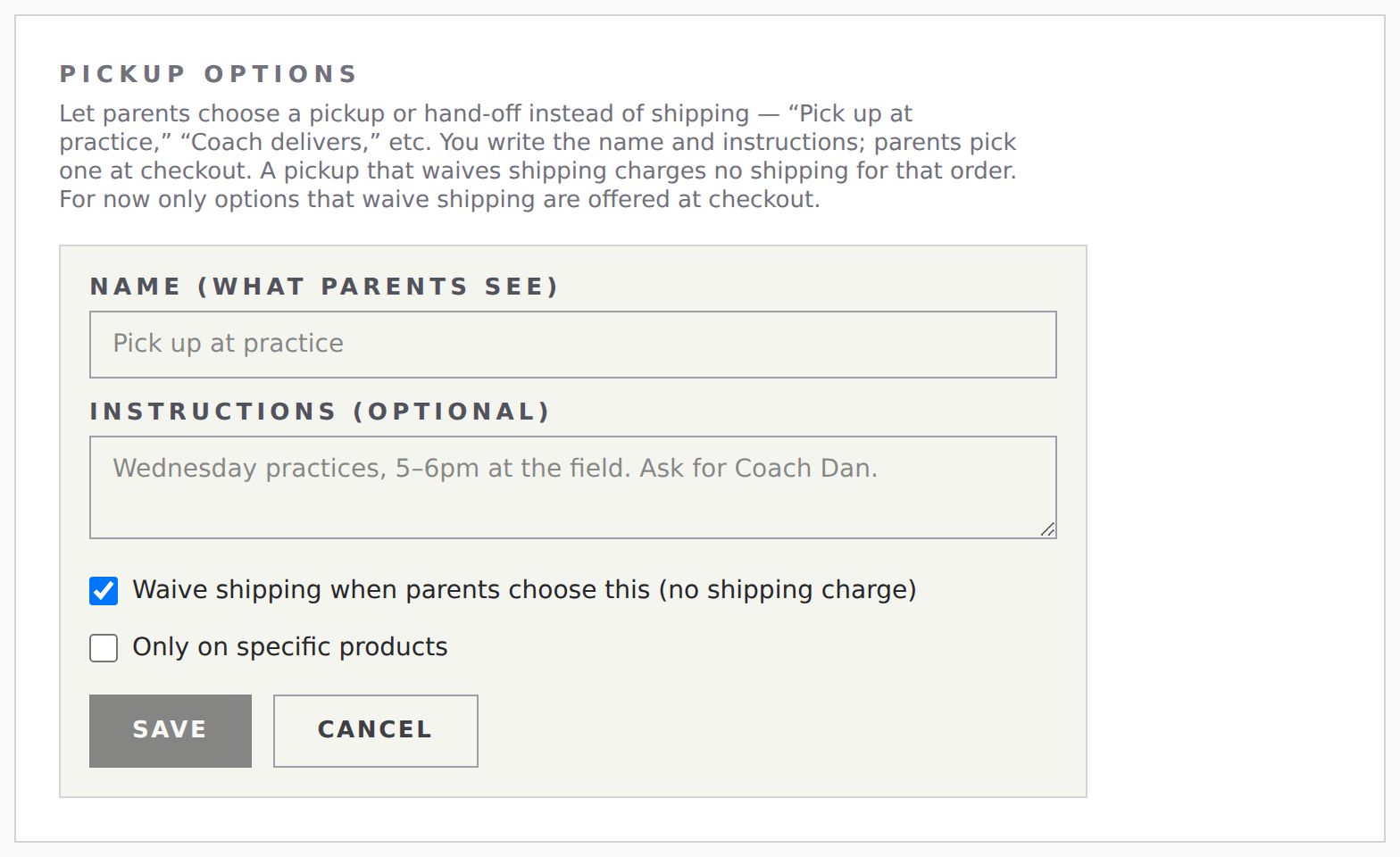
- Fill in:
- Name (what parents see), for example "Pick up at practice."
- Instructions (optional), for example "Wednesday practices, 5–6pm at the field. Ask for Coach Dan."
- Tick Waive shipping when parents choose this (no shipping charge).
- If it only applies to some products, tick Only on specific products and pick them.
- Click Save.
At checkout, parents see your option listed right alongside the shipping methods, as Local pickup: [your name]. Choosing it swaps the address fields for a Pickup contact section (name of the person picking up, and a phone number).
> Note: For now, checkout only offers pickup options that waive shipping. Keep Waive shipping ticked.
Change or remove an option
- Edit: change the name, instructions or products.
- Deactivate / Activate: hide it or show it at checkout.
- Remove: opens an inline confirm — "Remove '
<name>'? Parents will no longer see it at checkout." Click Remove again to confirm, or Cancel.
On an order, a pickup shows under Local pickup with the name of the option the parent chose.