
Team roles: who can do what
For: Owner, Store admin, Fundraiser, Store editor, Reports viewer, Parents & families
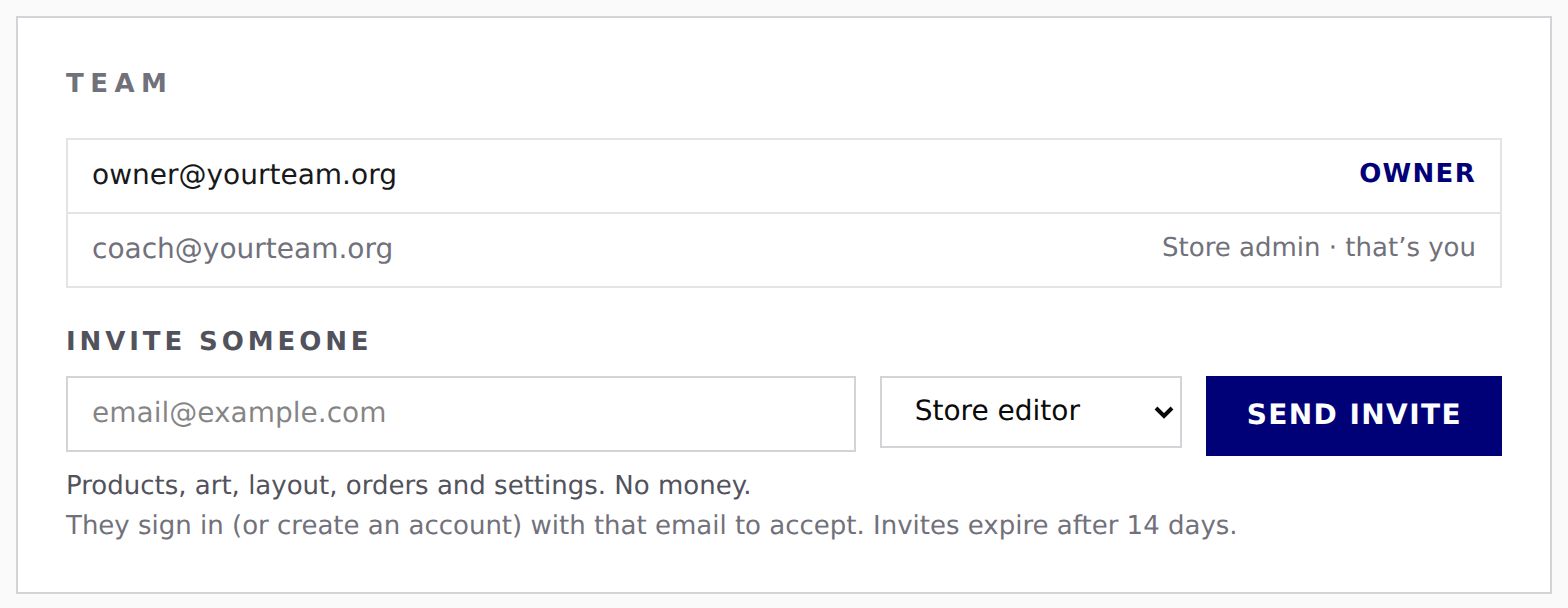
Each person on your store's team has one role. To see who has which role and change it: log in at sportprinters.com, you land on My stores, click Manage on your store, then Settings → Team.
| Role | What they can do |
|---|---|
| Owner | Everything. This is the person who created the store. The owner can't be removed. |
| Store admin | Everything, including markup, payouts, publishing and inviting. |
| Fundraiser | Products, art, layout, orders, settings and fundraising. They can set the fundraising % and connect a separate team fundraising account. No markup, no owner payouts, no publishing, no inviting. |
| Store editor | Products, art, layout, orders and settings. No money. They see what parents pay, but not markup or fundraising percents. |
| Reports viewer | Fundraising reports only, read-only (the Fundraising Statement). |
What shows in the menu
You only see the pages your role can use. For example:
- Reports: Owner and Store admins only.
- Fundraising: everyone except Store editors.
- Settings › Status & publishing, Team and Archive store: Owner and Store admins only.
- Settings › Pricing: Owner, Store admins and Fundraisers (Fundraisers only see the fundraising %).
Cost and markup are never shown to anyone who doesn't have markup access — including an order's Totals, where a Store editor sees what the parent paid but not "Store markup" or "Raised for your team."