
Add-ons and player names
For: Owner, Store admin, Fundraiser, Store editor, Parents & families
Where: At the top of sportprinters.com, click Log in. Enter your Email and Password and click Sign In. You land on My Stores. Click Manage on your store, then Settings at the top. In the left menu, under Ecommerce, click Add-ons.
Add-ons let parents personalize a product, for example with a player name, a number or an extra logo.
Choose which add-ons your store offers
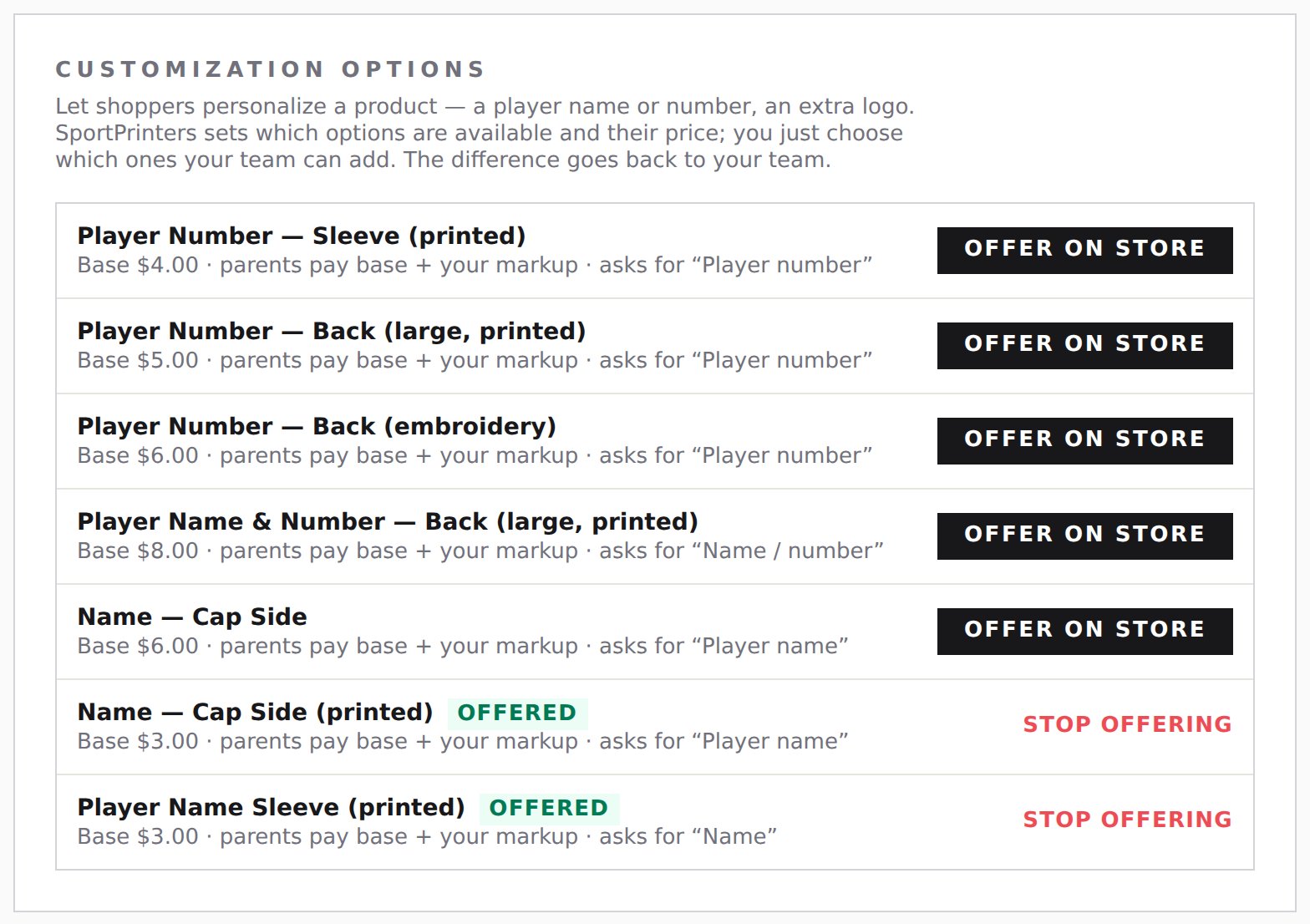
- Go to Settings › Add-ons. The Customization Options card lists the add-ons you can offer. SportPrinters sets which options are available and their base price. Each one shows its Base price and what it asks for, for example "Base $4.00 · parents pay base + your markup · asks for “Player number”". Parents pay the base plus your markup (and fundraising, if the product has it).
- Click Offer on store to turn one on. Offered add-ons show Offered. Click Stop offering to turn one off. It asks you to confirm: "Stop offering “add-on”? Shoppers will no longer see it."
Turn add-ons on or off for one product
- In Create Product, go to the Options step. On a live product, open its Add-ons tab.
- Under Add-ons on this product ("Turn on the options you want to offer on this product."), switch each add-on On or Off. If your store doesn't offer any yet, it says "No add-ons yet. Create them in Settings › Add-ons (name, player number, extra logo…), then switch them on here for this product." Add-ons marked "on all products" are on everywhere unless you switch them off.
How player names work for parents
When an add-on asks for text, like a player name, the parent types it on the product page.
- By default, one name covers the whole line. If a parent orders 3 shirts for the same player, they type the name once and it goes on all 3.
- Different name per piece: if the parent is ordering more than one piece, they can tick Different <name> per piece (for example, "Different player name per piece"). They then get one box per piece, labeled by size, like "S #1, M #1, M #2".
The names show on the order for production, piece by piece.
Add-ons you created before
If your store has older add-ons you made yourself, they appear under Other add-ons you created. You can Activate, Deactivate, Edit or Delete them. Owners and Store admins can also set a Price per unit.